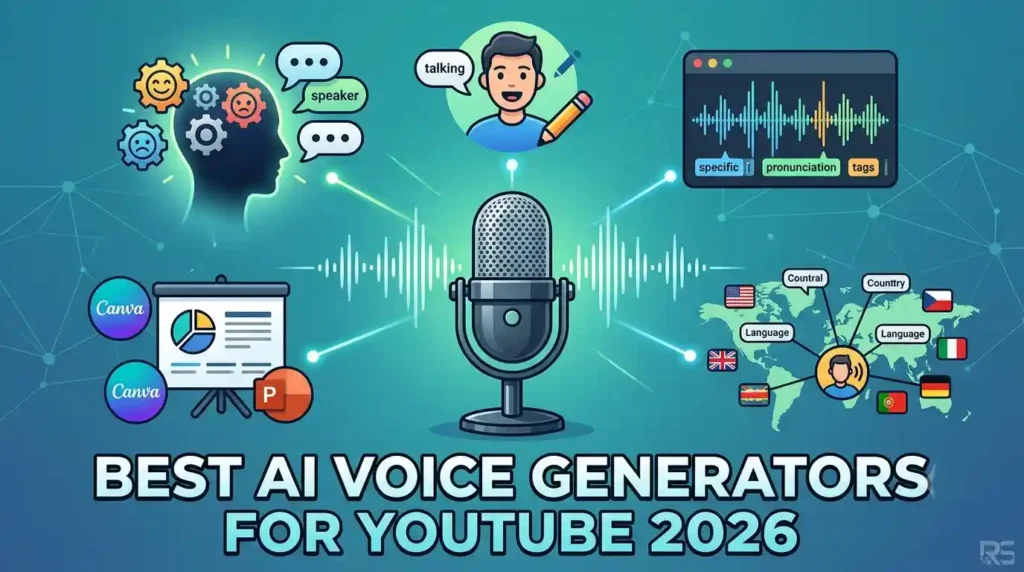
If you need a Voice Genrator for YouTube in 2026, ElevenLabs is our best overall recommendation for creators who prioritize expressive narration, a broad voice library, multilingual output, and voice cloning. Its current text-to-speech tools support more than 70 languages, while ElevenCreative Studio combines narration, video, captions, music, and sound effects in a timeline-based workflow.
However, ElevenLabs is not automatically the right choice for every YouTuber. Descript makes more sense if you want text-based video and audio editing in the same application. Murf is a strong option for structured business and presentation workflows, while WellSaid is particularly relevant to teams producing polished English-language voiceovers.
The main buying consideration is simple: choose based on your production workflow, not the size of a voice library alone.
Disclosure: ReproSpot may earn a commission when you purchase through links on this page. This does not affect the price you pay or our editorial conclusions.
Quick Verdict
Best for: YouTube creators, faceless channels, narrators, and multilingual content producers
Not ideal for: Creators who primarily need a complete text-based video editor
Top strength: Expressive AI narration with extensive voice and language options
Main limitation: Credit usage can require closer monitoring as production volume increases
Our verdict: ElevenLabs is our best overall AI voice generator for YouTube in 2026
[CTA: Check Current ElevenLabs Plans → AFFILIATE LINK]
The Best AI Voice Generators for YouTube Compared
| Tool | Best For | Key Strength | Main Limitation |
|---|---|---|---|
| ElevenLabs | Most YouTube creators | Expressive voices and broad language support | Credit-based usage needs monitoring |
| Descript | Video and podcast editors | Edit media through a text-based workflow | Voice generation is part of a broader editing platform |
| Murf | Business and presentation content | Structured voiceover workflow and integrations | May be more than a narration-only creator needs |
| PlayHT | Voice control and developer workflows | Pronunciation, SSML, and API options | Product positioning extends beyond basic YouTube narration |
| Speechify | Multilingual voice selection | Large documented voice and language library | Buyers should verify the current Studio pricing structure |
| WellSaid | English-language professional content | Curated voices and commercial paid plans | Broader language support is positioned at Enterprise level |
The tools in this list solve slightly different problems. If your primary goal is turning scripts into expressive narration for long-form videos, Shorts, explainers, or faceless YouTube content, ElevenLabs is the clearest starting point.
If editing is your biggest production bottleneck, Descript may save more time overall.
[INTERNAL LINK: ElevenLabs Alternatives]
1. ElevenLabs — Best Overall AI Voice Generator for YouTube
ElevenLabs is our top recommendation for most YouTube creators because its voice products are closely aligned with the actual narration problems creators face: finding a suitable voice, controlling delivery, generating longer content, cloning an authorized voice, and creating content for multiple languages.
Its current text-to-speech product supports more than 70 languages. ElevenLabs also documents thousands of voice options across its broader voice ecosystem, including a community Voice Library, Professional Voice Cloning, Instant Voice Cloning, and Voice Design.
For a YouTube creator, that flexibility matters more than simply having a large number of voices.
A documentary channel may need controlled, serious narration. A storytelling channel may want greater emotional variation. A tutorial creator may prioritize clarity and consistency. A global channel may need narration for different language markets.
ElevenLabs gives creators several ways to approach those requirements.
Why ElevenLabs Is Our Top Pick
The strongest reason to consider ElevenLabs is its focus on expressive speech.
Eleven v3 supports more than 70 languages and provides emotion, direction, and multi-speaker control through inline audio tags. ElevenLabs also offers voice settings that can affect characteristics such as stability and similarity, although the exact controls available can depend on the selected model.
That creates a useful workflow for YouTubers who do not want every paragraph delivered with exactly the same cadence.
For example, a creator producing a mystery video could use a more restrained delivery during exposition and introduce stronger emotional direction for a dramatic reveal. The creator still needs to review the generated audio—AI narration is not a substitute for editorial judgment—but the available controls provide more options than basic text-to-speech conversion.
ElevenCreative Studio for Longer YouTube Projects
ElevenCreative Studio 3.0 is particularly relevant to creators producing longer videos.
The current Studio workflow supports timeline tracks for video, captions, narration, music, and sound effects. ElevenLabs says creators can fine-tune timing at the sentence level, use voice-changing and script-enhancement tools, and collaborate through sharing and commenting features.
ElevenLabs also documents support for MP4 and MOV video uploads in Studio, along with voiceovers, background music, sound effects, and auto captions.
This makes ElevenLabs more than a simple “paste text and download an MP3” tool.
A realistic YouTube workflow could look like this:
- Finalize the narration script.
- Select a voice that matches the channel’s style.
- Generate the narration in sections.
- Review pronunciation, pacing, and emotional delivery.
- Regenerate weak sections where necessary.
- Place narration against the video timeline.
- Add supporting music, sound effects, or captions.
- Export the project for the remaining publishing workflow.
Creators with an established editor such as Premiere Pro or DaVinci Resolve may still prefer to download the generated audio and complete the video elsewhere. The value is that ElevenLabs can support either a voice-generation-focused workflow or a broader Studio workflow.
Voice Cloning for a Consistent Channel Identity
Voice cloning can be valuable for creators who want narration based on their own authorized voice without recording every final script manually.
ElevenLabs currently describes two cloning approaches. Instant Voice Cloning uses a short audio sample and is available on paid plans. Professional Voice Cloning uses more than 30 minutes of high-quality recorded audio to create a higher-fidelity representation of the original speaker’s vocal characteristics.
For a creator, the buying value is consistency.
Instead of choosing a different stock narrator for every upload, a channel can potentially develop a more recognizable audio identity using an authorized clone.
Voice cloning also requires responsible use. You should only clone voices when you have the appropriate rights and consent.
Multilingual YouTube Content
ElevenLabs is also one of the stronger options in this comparison for creators targeting viewers across different countries.
Its current text-to-speech product supports more than 70 languages, and ElevenLabs offers dubbing tools designed to apply a model of the original speaker across target languages while preserving characteristics such as identity, pitch, and tone.
This does not mean creators should automatically translate every successful video.
Scripts may need localization rather than literal translation. Titles, examples, humor, measurements, and calls to action may also need to change for a specific market.
But if multilingual expansion is already part of your channel strategy, language support should be a major factor in your buying decision.
The Main ElevenLabs Limitation
The biggest practical limitation is usage management.
ElevenLabs uses a shared monthly credit pool across its products. The company’s pricing page states that using credits for one product leaves fewer available for other products. Text to speech, speech to text, music, sound effects, voice changing, and dubbing can consume credits at different rates.
For a YouTuber publishing occasional videos, this may be easy to manage.
For a production team creating multiple long-form videos, several language versions, sound effects, and repeated regenerations, usage deserves closer attention.
Do not choose a plan based only on the monthly subscription price. Estimate how much finished narration you expect to produce.
[CTA: Check Current ElevenLabs Plans → AFFILIATE LINK]
[INTERNAL LINK: ElevenLabs Review]
2. Descript — Best for Creators Who Want Voice and Video Editing Together
Descript is our preferred alternative for creators whose biggest problem is editing rather than voice selection.
The platform’s core workflow allows users to edit audio and video through text. Descript also provides AI Speech with stock voices and custom voice clones. Its documented voice-cloning workflow can create a voice match after the user reads a script of about 90 seconds.
The key difference between Descript and ElevenLabs is product focus.
Choose ElevenLabs when AI narration is the priority.
Choose Descript when you want narration inside a broader text-based video and podcast editing workflow.
Why Descript Makes Sense for YouTubers
Imagine you record a talking-head video and later discover that one sentence contains an incorrect date.
A traditional workflow may require reopening the recording setup, matching the microphone position, recording another take, and editing the replacement into the timeline.
Descript positions its AI Speech tools around generating audio from text and fixing audio without re-recording.
That is a different value proposition from creating an entirely faceless channel with a stock narrator.
Descript is particularly attractive for:
- YouTubers who also publish podcasts
- Interview and educational channels
- Creators who frequently revise spoken content
- Small teams that want fewer separate production applications
The tradeoff is that creators buying purely for AI narration may not need the broader Descript workflow.
[INTERNAL LINK: ElevenLabs vs Descript]
3. Murf — Best for Structured Business and Presentation Voiceovers
Murf is a strong choice for creators who produce explainers, training videos, presentation-based content, or videos for business clients.
Its official text-to-speech product currently advertises more than 200 voices across 35 languages and more than 10 accents. Murf also documents controls for speed and tone.
Murf’s integration positioning is another reason it stands out. The company documents integrations with Canva, PowerPoint, and Adobe Captivate, and its Canva integration is designed to add AI voiceovers to videos, presentations, social posts, and documents.
Who Should Choose Murf?
Murf is particularly relevant if your YouTube workflow overlaps with client or corporate content.
For example, a marketing agency may need to create:
- A YouTube explainer
- A client presentation
- A product demonstration
- An employee training video
A structured voiceover platform with presentation-oriented integrations may fit that workflow better than choosing a tool purely for expressive narration.
For storytelling-heavy YouTube channels, we would still start with ElevenLabs.
For corporate explainers and presentation-based production, Murf deserves serious consideration.
[INTERNAL LINK: ElevenLabs vs Murf]
4. PlayHT — Best for Detailed Speech Controls and API Workflows
PlayHT is worth considering when creators or developers need more technical control over text-to-speech output.
Its official product page documents an online text-to-voice editor with speech styles, pronunciation controls, SSML tags, rate, pitch, emphasis, pauses, and multi-voice projects. PlayHT also offers a Voice Generation API.
Custom pronunciation is particularly useful for some YouTube niches.
A technology channel may repeatedly mention unusual company or product names. A science channel may use specialist terminology. A gaming channel may need fictional character or location names pronounced consistently.
Being able to define and reuse pronunciations can reduce repetitive corrections.
Who Should Choose PlayHT?
Consider PlayHT if:
- Pronunciation control is important to your content
- You create multi-speaker audio
- You need SSML-based control
- You are building an automated content workflow
- API access is part of your production system
For a creator who simply wants to paste a script and produce a convincing narrator, ElevenLabs remains our easier recommendation.
For technical production pipelines, PlayHT’s documented controls and API positioning make it a relevant alternative.
5. Speechify — Best for a Broad Multilingual Voice Selection
Speechify’s AI Voice Generator currently advertises more than 1,000 AI voices in more than 60 languages, including regional dialects and accents. The company also documents voice cloning as an option for creating voiceovers based on your own voice.
That makes Speechify particularly interesting for creators who want to explore a large selection of voices before settling on a channel narrator.
Where Speechify Fits
Consider Speechify if your priority is comparing a broad range of voices and languages.
A creator launching channels for several geographic markets may want to audition different voice styles and accents. Speechify’s documented voice selection gives those creators a substantial pool to explore.
However, pricing and product packaging should always be checked directly before purchasing. Software products change their plan structures, and the correct plan should be selected based on the specific AI Voice Generator or Studio workflow you intend to use.
For ReproSpot’s overall recommendation, ElevenLabs still has the edge because of the combination of expressive text-to-speech, voice options, Studio, and creator-oriented audio workflows.
6. WellSaid — Best for Professional English Voiceovers
WellSaid is a compelling option for professional English-language voiceover production.
Its current individual paid plans include full commercial rights, and the platform documents studio controls for tone, pitch, and emotional control. The current Starter and Pro plans provide access to all English voices, while broader language access and translation are listed under Enterprise.
This positioning makes WellSaid particularly relevant to:
- Corporate YouTube channels
- Training content teams
- Agencies
- Product education channels
- English-language business content
Why You Might Choose WellSaid Over ElevenLabs
Choose WellSaid if your workflow is centered on polished English-language business voiceovers and you prefer its curated voice approach.
Its paid plans also use downloaded finished-audio minutes as a key usage measure. The pricing page states that paid plans offer unlimited generation, with plan allowances based on downloaded audio.
That pricing logic may appeal to users who want to experiment with generation before downloading the finished result.
However, creators prioritizing broad multilingual narration should compare the products carefully. WellSaid’s pricing page currently lists “all languages” and translation at the Enterprise level, while ElevenLabs documents text-to-speech support across more than 70 languages.
Which Voice Genrator Is Best for Your YouTube Channel?
The best tool depends on what is slowing down your production.
Choose ElevenLabs if you want our best overall recommendation for expressive AI narration, voice options, multilingual content, and a creator-focused audio workflow.
Choose Descript if editing recorded video and audio is your main bottleneck and you want AI Speech inside a text-based editor.
Choose Murf if you create business explainers, training videos, presentations, or client content.
Choose PlayHT if detailed pronunciation, SSML controls, multi-voice projects, or API workflows are important.
Choose Speechify if you want to explore a large documented selection of voices and languages.
Choose WellSaid if your priority is professional English-language business voiceover production.
The wrong approach is choosing the tool with the biggest marketing number.
Start with your actual production process.
If you upload one documentary-style video every week, narration quality and consistency may matter most. If you publish daily videos through an automated pipeline, usage and API capabilities become more important. If you edit podcasts and videos from the same recordings, Descript’s broader workflow may save more time than a dedicated voice platform.
[INTERNAL LINK: Best AI Tools for YouTube Creators]
Real-World AI Voice Generator Use Cases for YouTube
Faceless YouTube Channels
A faceless channel can write or edit a script, generate narration, review weak sections, and combine the finished audio with original visuals and editing.
The important word is original.
An AI voice generator does not automatically turn low-effort material into valuable YouTube content. YouTube’s monetization policies say reviewers may evaluate videos, channel descriptions, titles, and descriptions to understand how a creator made or participated in producing the content. The reused-content policy applies to the channel as a whole.
Creators should add genuine editorial value through research, scripting, commentary, visual production, or other meaningful creative work.
Documentary and Storytelling Videos
Narrative channels can use AI voices to maintain a consistent narrator across uploads.
This is one of the strongest use cases for ElevenLabs because emotional direction and expressive delivery matter more in storytelling than in a basic software tutorial.
The creator should still listen to the full narration.
Names, acronyms, transitions, and dramatic sentences can require adjustments. ElevenLabs itself warns that some style settings can introduce instability, including inconsistent speed, mispronunciation, or additional sounds.
AI generation reduces recording work. It does not eliminate quality control.
Tutorials and Educational Videos
Tutorial channels usually need clarity and consistency more than dramatic performance.
A software tutorial, for example, may require the narrator to pronounce brand names, technical terms, and abbreviations correctly across dozens of videos.
PlayHT’s documented custom pronunciation features may be valuable here. Descript is also attractive when the creator frequently updates old content because its AI voice tools are positioned around generating and editing audio through text.
Multilingual Channel Expansion
A successful English-language creator may want to produce Spanish, French, German, or other language versions of existing content.
ElevenLabs’ 70-plus-language text-to-speech support and dubbing tools make it a strong candidate for this workflow.
However, localization should include script review.
A translated script may be technically accurate but still sound unnatural to native viewers. Consider reviewing high-value scripts with a native speaker or qualified language professional before publishing.
Product Marketing and Branded YouTube Content
Small businesses can use AI voice generators for product demonstrations, feature explainers, and branded educational content.
Murf’s Canva integration may fit businesses already creating visual assets in Canva, while WellSaid’s paid plans explicitly include full commercial rights.
Always check the licensing terms of your selected product and plan before publishing commercial content.
Pros and Cons of ElevenLabs for YouTube
Pros
- Text-to-speech support across more than 70 languages
- Thousands of voice options across the broader ElevenLabs voice ecosystem
- Instant and Professional Voice Cloning options
- ElevenCreative Studio supports video, narration, captions, music, and sound effects
- Expressive controls and multi-speaker capabilities are available through Eleven v3
- Paid subscriptions include a commercial license for eligible content generated during the paid subscription
- Suitable for both individual narration and broader multilingual workflows
Cons
- Shared credits across products can make usage planning more complicated
- Frequent regenerations and multi-product workflows can consume available credits
- The Free plan does not include a commercial license
- Some voice settings can create inconsistent results and still require manual review
- Creators who primarily need full video editing may prefer Descript’s workflow
ElevenLabs Pricing
Pricing checked: July 2026
Software pricing can change. Verify the current pricing and included usage on the official ElevenLabs website before subscribing.
At the time of our pricing check, ElevenLabs listed the following ElevenCreative plans and monthly pricing: Free at $0, Starter at $6, Creator at $22 with the first month shown at $11, Pro at $99, Scale at $299, Business at $990, and Enterprise with custom pricing. The pricing page states that listed prices exclude taxes, levies, and duties.
| Plan | Best For | Key Consideration |
|---|---|---|
| Free | Evaluating voice quality | 10,000 monthly credits; no commercial license |
| Starter | New commercial creators | Adds a commercial license and Instant Voice Cloning |
| Creator | Regular content creators | Adds Professional Voice Cloning and 121,000 monthly credits |
| Pro | Higher-volume production | 600,000 monthly credits and higher-quality audio options |
| Scale | Production teams | Three workspace seats and team collaboration |
| Business | Large-volume organizations | Ten workspace seats and 6 million monthly credits |
| Enterprise | Organizations with custom requirements | Custom pricing, terms, seats, and support |
For many new YouTube creators, Starter is the logical first paid plan to examine because ElevenLabs currently lists a commercial license at that level.
Creator becomes more relevant if Professional Voice Cloning or a larger monthly credit allocation is important.
Do not assume the Free plan is appropriate for a monetized channel. ElevenLabs’ help documentation states that its Free plan does not include a commercial license. Content generated during a paid subscription can be used commercially and indefinitely, subject to the applicable agreement.
[CTA: View Current ElevenLabs Pricing → AFFILIATE LINK]
[INTERNAL LINK: ElevenLabs Pricing Explained]
Is ElevenLabs Worth Paying for YouTube?
For creators publishing monetized videos, ElevenLabs is worth considering when AI narration is a recurring part of the production process.
The Starter plan is particularly important because that is where the current pricing page lists a commercial license and Instant Voice Cloning.
The decision becomes less obvious if you only need narration occasionally.
Before paying, estimate:
- How many videos you publish each month
- The average narration length
- How often you regenerate sections
- Whether you need voice cloning
- Whether you will use dubbing, sound effects, or other credit-consuming products
If you publish four narrated videos per month, your needs are very different from a team creating several channels and multiple language versions.
Buy for your current workflow with reasonable room to grow. Do not pay for production scale you do not yet have.
Who Should Skip ElevenLabs?
You should consider another tool if your main problem is editing existing recordings.
Descript is a better first product to evaluate when you record yourself and want to edit video or audio through a transcript-style workflow.
Murf may be a better fit if your content production is closely tied to Canva, PowerPoint, presentations, and corporate explainers.
WellSaid deserves consideration if you are focused on professional English-language voiceovers and prefer its downloaded-minute pricing approach on paid individual plans.
Developers building custom voice products should also compare API-specific pricing and technical requirements rather than choosing solely from the ElevenCreative creator plans.
[INTERNAL LINK: Best ElevenLabs Alternatives]
Frequently Asked Questions
What is the best AI voice generator for YouTube in 2026?
ElevenLabs is our best overall recommendation for most YouTube creators in 2026. Its current text-to-speech product supports more than 70 languages, and its broader voice ecosystem includes stock and community voices, voice design, and cloning options. Descript is a better alternative when text-based video and audio editing is more important than dedicated AI narration.
Can I use ElevenLabs for monetized YouTube videos?
ElevenLabs states that content generated during a paid subscription can be used commercially and indefinitely, subject to its agreement. Its Free plan does not include a commercial license. Creators should verify the current terms for their selected plan before publishing monetized content.
Can AI voice videos be monetized on YouTube?
Using an AI voice does not remove the need to follow YouTube’s monetization policies. YouTube’s current monetization documentation explains that reviewers may examine a channel to understand how the creator made or participated in producing the content, and its reused-content policy applies to the channel as a whole. Create original, valuable content rather than relying on automated narration over minimally changed material.
Is ElevenLabs better than Murf for YouTube?
We recommend ElevenLabs for storytelling, faceless channels, multilingual narration, and creators prioritizing expressive speech. Murf is a strong alternative for business explainers, training content, and presentation-oriented workflows, particularly because Murf documents integrations with Canva, PowerPoint, and Captivate.
Is Descript better than ElevenLabs?
Descript is better for creators who want AI Speech inside a broader text-based video and podcast editor. ElevenLabs is our preferred choice when voice generation and expressive narration are the main priorities. The best product depends on whether narration or editing is the bigger bottleneck in your workflow.
Does ElevenLabs have a free plan?
Yes. ElevenLabs currently lists a Free plan with 10,000 monthly credits and access to products including text to speech. However, ElevenLabs states that its Free plan does not include a commercial license. Creators planning monetized commercial content should review the paid-plan terms.
Which AI voice generator is best for faceless YouTube channels?
ElevenLabs is our top choice for most faceless YouTube channels because of its expressive text-to-speech tools, extensive voice options, multilingual support, and Studio workflow. PlayHT is worth considering when custom pronunciation or SSML control is important, while Descript may suit channels that need integrated editing.
Should I clone my voice or use a stock AI voice?
Clone your own authorized voice if building a consistent personal or channel identity is important. A stock AI voice is easier when you want to launch quickly or do not want your own voice represented in the content. Whichever option you choose, make sure you have the necessary rights and consent for any cloned voice.
Final Verdict
For most creators looking for the best AI Voice Genrator for YouTube in 2026, ElevenLabs is our top overall recommendation.
Its main advantage is the combination of expressive text-to-speech, more than 70 supported languages, extensive voice options, voice cloning, and ElevenCreative Studio. That combination makes it suitable for faceless channels, documentary narration, storytelling, tutorials, and creators exploring multilingual content.
It is not the automatic winner for every workflow.
Choose Descript if editing recorded video and audio through text is your priority. Consider Murf for presentation-heavy and business content. PlayHT is relevant when pronunciation controls, SSML, and API workflows matter. Speechify offers a broad documented selection of voices and languages, while WellSaid is a strong option for professional English-language voiceovers.
The deciding factor should be how you produce videos every week.
If narration quality and flexibility are your biggest concerns, start with ElevenLabs and compare its current paid plans against your expected monthly production volume.
[CTA: Check Current ElevenLabs Plans → AFFILIATE LINK]
